
Getting Started with Full-Stack Web Apps: A Beginner’s Guide to Building a React Frontend with a Node.js Backend and RESTful APIs
In today’s digital landscape, the demand for web applications is higher than ever. Understanding how to create full-stack web apps is essential for your progress as a developer. This guide explores the fundamental concepts and practical steps involved in building a React frontend with a Node.js backend and RESTful APIs.
Estimated Reading Time: 8 minutes
- Understand the architecture of full-stack applications.
- Learn about the tools and technologies used in full-stack development.
- Review best practices for security and performance.
- Follow a step-by-step implementation of a task manager application.
- Explore FAQs regarding REST APIs, security, and frontend libraries.
Table of Contents
- Context and Challenges
- Solution / Approach
- Concrete Example / Case Study
- FAQ
- Authority References
- Conclusion
Context and Challenges
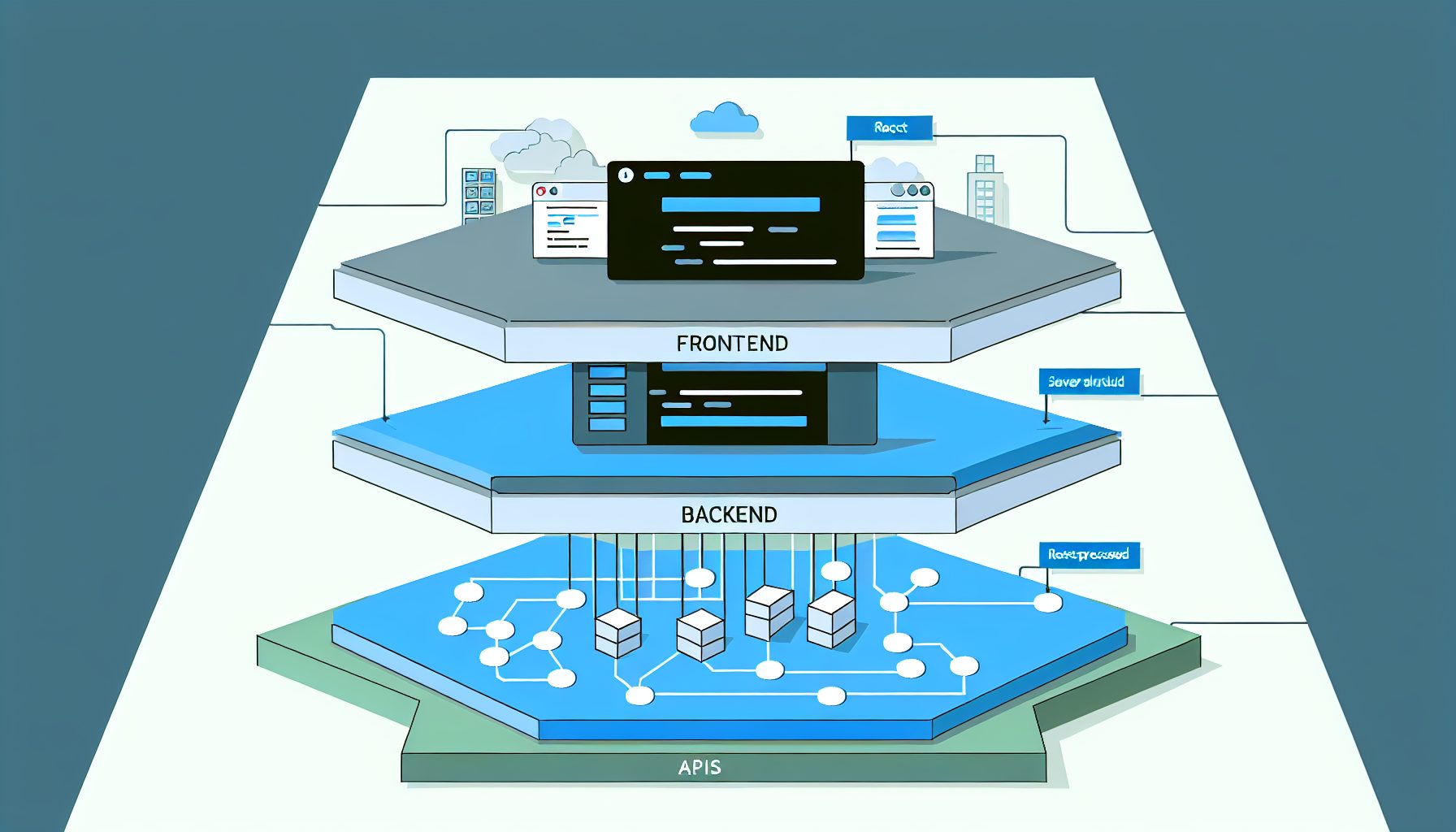
A full-stack web app consists of both the client-side (frontend) and server-side (backend) components, which work together to create a seamless user experience. The frontend is what users interact with directly, and in this case, we’ll utilize React for its component-based architecture and efficiency. The backend, built with Node.js, processes requests, manages the database, and routes data to the frontend. RESTful APIs act as the communication channel between the two.
However, building a full-stack application comes with its own set of challenges. Some common issues include:
- Understanding asynchronous programming and its implications in web applications.
- Choosing the right database and integrating it effectively with the backend.
- Managing state in larger applications, especially when dealing with multiple APIs.
- Ensuring security and performance across both the frontend and backend.
By familiarizing ourselves with these concepts and strategies, we can effectively tackle the challenges associated with full-stack development.
Solution / Approach
The architecture we’ll discuss involves a combination of React for the frontend and Node.js for the backend, orchestrated through RESTful APIs. This approach separates concerns and allows for scalability and flexibility.
The general process looks like this:
- Set up your development environment: Install Node.js and npm (Node Package Manager) on your machine. Tools like Postman can help in testing your APIs.
- Create a Node.js server: Use Express.js, a popular web application framework for Node.js, to create endpoints that the frontend will call.
- Build a RESTful API: Design your API to handle requests such as GET, POST, PUT, and DELETE. This will allow your frontend to communicate effectively with the backend.
- Develop the React frontend: Utilize React components to build a user interface that communicates with your backend API. Manage state using React hooks or libraries like Redux.
- Test and deploy: Ensure that both the frontend and backend are functioning correctly, then deploy your application using cloud services such as Heroku or a dedicated server.
For instance, if you’re looking to create a high-performance web app, consider exploring the services offered by MySushiCode, specializing in custom web development and SaaS engineering.
Concrete Example / Case Study
Let’s consider a simple project: a task manager application. We’ll walk through the implementation of both the frontend and backend.
1. Backend Setup: Start by initializing a Node.js project:
npm init -y
npm install express mongoose cors body-parser
Create your server file (server.js):
const express = require('express');
const mongoose = require('mongoose');
const cors = require('cors');
const bodyParser = require('body-parser');

const app = express();
app.use(cors());
app.use(bodyParser.json());

mongoose.connect('your_mongodb_uri', { useNewUrlParser: true, useUnifiedTopology: true });

// Define your Task model
const Task = mongoose.model('Task', new mongoose.Schema({
    title: String,
    completed: Boolean
}));

// API routes
app.get('/tasks', async (req, res) => {
    const tasks = await Task.find();
    res.json(tasks);
});

app.post('/tasks', async (req, res) => {
    const task = new Task(req.body);
    await task.save();
    res.json(task);
});

// Start server
app.listen(5000, () => console.log('Server running on port 5000'));
2. Frontend Setup: Initialize your React application:
npx create-react-app task-manager
cd task-manager
npm install axios
In your main component (App.js), you can make API calls to fetch and create tasks:
import React, { useEffect, useState } from 'react';
import axios from 'axios';
const App = () => {
const [tasks, setTasks] = useState([]);
useEffect(() => {
axios.get('http://localhost:5000/tasks')
.then(response => setTasks(response.data));
}, []);
const addTask = async (title) => {
const response = await axios.post('http://localhost:5000/tasks', { title, completed: false });
setTasks([...tasks, response.data]);
};
return (
Task Manager
{tasks.map(task => (
- {task.title}
))}
);
};
export default App;
This simple project illustrates how to effectively integrate a React frontend with a Node.js backend through RESTful APIs, highlighting the clear separation between the client and server, making it easier to maintain each part independently.
FAQ
1. What is the difference between REST and GraphQL?
REST follows a resource-based approach where each endpoint corresponds to a resource, using standard HTTP methods. In contrast, GraphQL allows clients to request only the data they need, offering greater flexibility at the cost of increased complexity.
2. Can I use a different frontend library instead of React?
Absolutely! While this guide focuses on React, you can also utilize other libraries such as Vue.js or Angular, which also support RESTful API architecture.
3. How do I secure my REST APIs?
Common best practices include using HTTPS to encrypt data in transit, implementing authentication using tokens (like JWT), and validating user input to prevent attacks such as SQL injection.
Authority References
- MDN Web Docs on Asynchronous Programming
- Express.js Installation Guide
- Axios Documentation
- MongoDB Overview
Conclusion
Building a full-stack web application with React and Node.js is an empowering journey that opens doors to creating sophisticated web solutions. By mastering the integration of a React frontend with a Node.js backend using RESTful APIs, you gain the ability to build scalable and maintainable applications. Start small, practice regularly, and you’ll soon find yourself crafting powerful web apps ready for the modern marketplace.

Tech blogger specializing in SaaS and web applications, simplifying complex tools to help people understand, choose, and use modern digital technology.

Leave a Reply